Find a prompt for your photo, learn what to change, then try it in PhotoLoop. Twelve starting points across four use cases, so you do not have to begin with an empty box.
These new starters have not been individually generation-tested. The real examples below are separate past runs, not a guarantee for every prompt.
01 · Start with the photo Use a clear image you have the right to use, with the subject fully visible. Describe what is already in the frame.
02 · Plan the rhythm Set the scene goal first, then use the selected model's supported duration to pace it. Let one movement breathe or pause; choose a suitable model and duration for staged action.
03 · Review, then generate The button loads a prompt; it does not generate or spend credits. Upload your photo, then review the available model, settings and price.
Workflow: define the scene goal, then choose an available model that supports the duration, reference-image count, camera approach and audio options you need. Let one movement breathe or pause; do not force staged action into one short clip. The entry only loads a prompt; it does not select a paid model or generate automatically.
These prompts start from one image and one continuous shot, but do not prescribe one duration or model. Use the generator's actual capabilities for duration, reference-image count, camera approach and audio; the new starters remain untested individually. Read the model guide
01
Product
Let a reveal or turn unfold smoothly; leave room for a pause instead of stacking product beats.
A restrained rotation for a centered product hero shot.
One continuous shot: the product makes one slow, smooth quarter-turn on an invisible turntable while the camera stays locked. Keep the product centered, preserve its shape and branding, and use steady studio light with a soft natural shadow.
Photo to use
For a handle or an asymmetric outline, use a sharp three-quarter product photo with the full object visible. For an unmarked, symmetric product, a centered front view works well.
What to change
If the object has a handle or an asymmetric outline, keep the quarter-turn small so its identity stays visible. For an unmarked, symmetric product, replace the rotation with a very slow push-in and keep the layout fixed.
Watch for
Fine logos, text, thin edges, and unseen sides may change during motion.
One continuous shot: the box lid lifts a few centimeters and settles, revealing a small glimpse of the product inside. Keep the box in place, keep the camera locked, preserve the printed design, and use soft directional light.
Photo to use
Choose a front-facing box photo with a clear lid seam and enough empty space around it.
What to change
If the lid is not visible, use a gentle label shimmer or a short camera push-in instead.
Watch for
The hidden interior and exact hinge mechanics are inferred from the single image.
A subtle textile movement for apparel or home goods.
One continuous shot: a light breeze passes once across the fabric, creating a gentle ripple that fades while the product remains in place. Keep the camera still, preserve the color and weave, and avoid adding hands or extra objects.
Photo to use
Use a well-lit image where the fabric surface and its edges are clearly visible.
What to change
For rigid products, use a small light sweep across the surface rather than fabric motion.
Watch for
The direction and strength of the breeze are visual approximations, especially on layered fabric.
A small expressive movement for a relaxed pet portrait.
One continuous shot: the pet blinks once, tilts its head slightly with gentle curiosity, then returns to a calm pose. Keep the pet's identity, markings, eyes, and position consistent; keep the camera still.
Photo to use
Use a sharp, front-facing pet photo with the eyes visible and a stable background.
What to change
For a side profile, replace the head tilt with one slow ear twitch and a blink.
Watch for
Fur edges, whiskers, eyes, and collars can warp during the facial movement.
A contained tail motion for a standing or seated pet.
One continuous shot: the pet stays seated and gives its tail two gentle side-to-side wags, with a small natural blink. Keep the body, face, paws, and background still; use a locked camera.
Photo to use
Choose a full-body image with the tail separated from the body and a little space behind it.
What to change
If the tail is hidden, use a slow ear movement or a small chest rise instead.
Watch for
A hidden or cropped tail cannot be reconstructed reliably from the source image.
A tiny nose movement for a calm outdoor pet photo.
One continuous shot: the pet leans its nose forward slightly as if catching a scent, pauses, and gives one soft blink. Keep the pose grounded, preserve the markings, and let only the nearby grass move faintly in the breeze.
Photo to use
Use an outdoor image with the face in focus and visible foreground space near the nose.
What to change
For an indoor image, replace the grass movement with a soft shift of window light.
Watch for
The generated sniff is an interpreted gesture and may affect the muzzle or mouth shape.
A restrained portrait loop with almost no pose change.
One continuous shot: the person takes one subtle breath, blinks once, and makes a barely perceptible relaxed shift of the shoulders. Keep identity, hairstyle, clothing, framing, and background stable; use a locked camera.
Photo to use
Use a sharp portrait with the face unobstructed, relaxed shoulders, and even lighting.
What to change
For a close crop, omit the shoulder shift and keep the movement to breathing and blinking.
Watch for
Small facial details and teeth may change during the blink or breath.
A gentle eye-line change for a window-lit portrait.
One continuous shot: the person slowly shifts their gaze toward the window light, turns their head only a few degrees, and settles. Keep the expression calm, preserve identity and clothing, and keep the camera fixed.
Photo to use
Choose a three-quarter portrait with a clear face orientation and visible directional light.
What to change
If the face is straight-on, use only an eye-line shift and skip the head turn.
Watch for
A large head turn may reveal unseen features and reduce identity consistency.
A modest expression change for a friendly everyday portrait.
One continuous shot: the person relaxes into a small closed-mouth smile, blinks once, and holds the expression. Keep the head position, face shape, hair, clothing, and background steady; use a locked camera.
Photo to use
Use a well-lit portrait with a neutral or already-friendly expression and the mouth clearly visible.
What to change
For an existing smile, use a tiny cheek lift and blink instead of a new expression.
Watch for
Teeth, lips, and asymmetrical expressions are especially prone to visual drift.
One continuous shot: soft clouds drift slowly across the sky while the landscape stays still and the camera remains locked. Keep the horizon, buildings, trees, and colors stable; use gentle natural light.
Photo to use
Use a wide landscape with clear sky area and a distinct horizon.
What to change
If there is little sky, use a slight movement in distant haze or treetops instead.
Watch for
The model may alter cloud edges or distant details while inventing depth.
A localized ripple for lakeside and coastal scenery.
One continuous shot: small concentric ripples travel once across the visible water surface while the shoreline and camera remain still. Preserve reflections, horizon, and overall color; keep the motion calm and minimal.
Photo to use
Choose a scene with a visible water surface, stable shoreline, and readable reflections.
What to change
For a waterfall or ocean image, use a single slow flow direction instead of concentric ripples.
Watch for
Reflections and water boundaries may shimmer or shift beyond the intended ripple.
A restrained camera move that adds depth to a still scene.
One continuous shot: the camera makes a very slow, smooth push-in toward the main landmark with no pan or tilt. Keep the landmark's shape stable, preserve the composition and lighting, and avoid introducing new objects.
Photo to use
Use a sharp image with one clear focal landmark and foreground depth cues.
What to change
For a close-up, reduce the push-in to a subtle parallax shift around the subject.
Watch for
The generated depth is inferred from one view and may cause edges or repeated patterns to warp.
Published PhotoLoop runs with the original input, prompt and recorded settings. These are separate from the untested starters above. Credit figures are historical; check the generator for current pricing.
Input photoGenerated result
MiniMax H3 Max ·
Product motion from one reference image
5s · 768p · 9:16 · 40 credits
An earlier, more complex product experiment. Its exact prompt depends on the original image; it is not a tested version of the product starters above.
Read the exact original prompt
Begin from the uploaded frame, keeping the woman, her floral dress, headscarf, the yellow sunglasses, the coral phone, the yellow handbag and the sunny street background consistent. A man in a dark jacket walks in from the right edge and collides with her shoulder. On impact her sunglasses fly off her face, the phone leaves her hand and the handbag is knocked out of her grip; all three products launch outward through the air in different directions, tumbling in slow motion, staying sharp and undistorted. The camera pushes in at a moderate amplitude and a slow steady pace. Street ambience with a sudden thud on impact.
An earlier single-image generation with a fixed camera and small animal movements. Changing the photo or model can change the result.
Read the exact original prompt
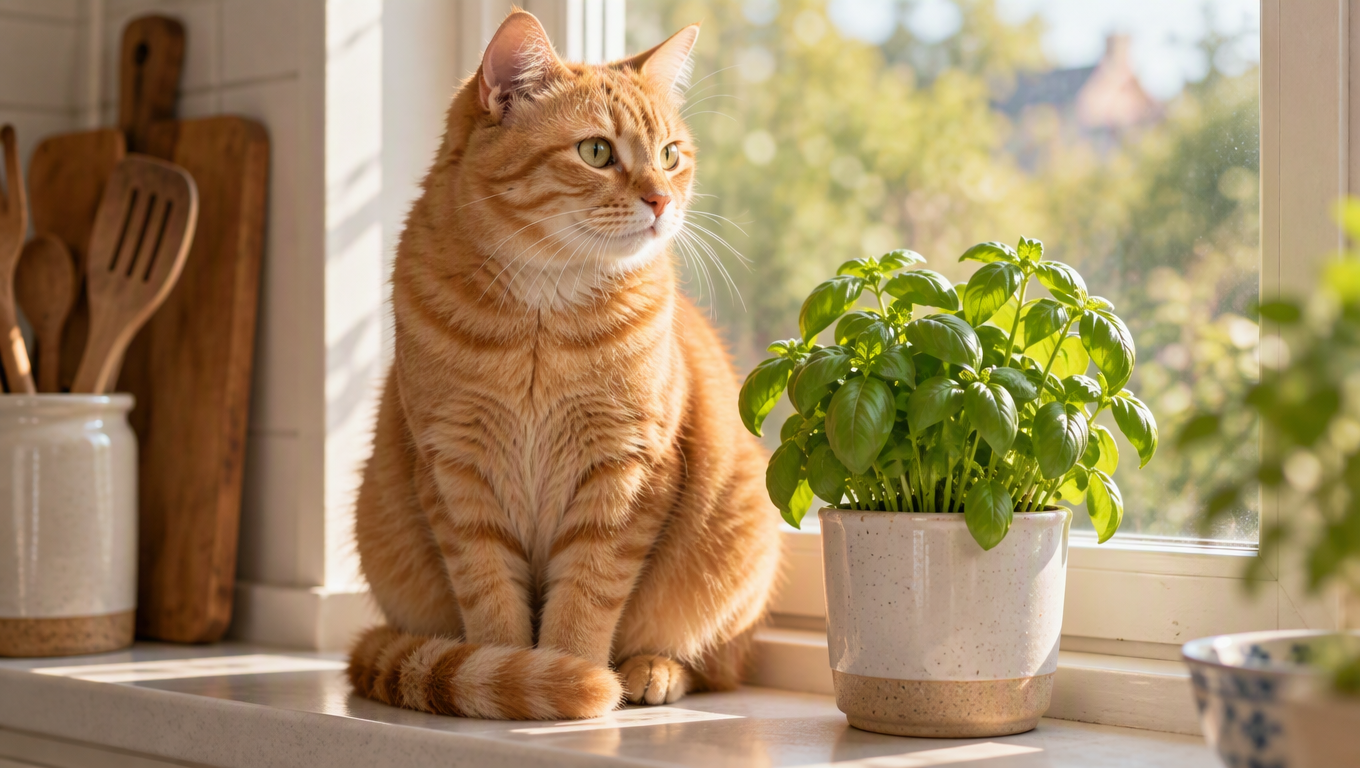
Begin from the uploaded photo and keep the ginger cat, the windowsill, the basil pot and the morning light unchanged. The cat slowly turns its head toward the window, its ears twitch and its tail curls gently; the basil leaves stir in a light breeze. The camera stays still. Soft kitchen ambience with distant birdsong.
Curated and written by PhotoLoop. This collection takes inspiration from LearnPrompt’s awesome-seedance use-case organization, with new wording for single-image short shots. It is not an official Seedance guide and does not reuse community creators’ videos.
PhotoLoop is an independent product and is not affiliated with, endorsed by, or sponsored by the creators of the AI models it integrates. Model names such as Seedance, Wan, Kling and MiniMax are trademarks of their respective owners.